How it Works

Run your studio the easy way.

From a student booked and their confirmation sent, to that same student on your BML calendar, Student CRM and back next week ready to learn more, BookMyLesson powers your studio while you teach.Families book. You teach. BookMyLesson handles the rest.

Start Building →
  1. 1ConversionTurn visitors into students.
  2. 2Studio managementRun your studio from one place.
  3. 3AutomationPut the busywork on autopilot.
1
Conversion

Turn visitors into students.

Most families decide in one visit. BookMyLesson gives them a beautiful booking experience that makes saying “yes” easy.

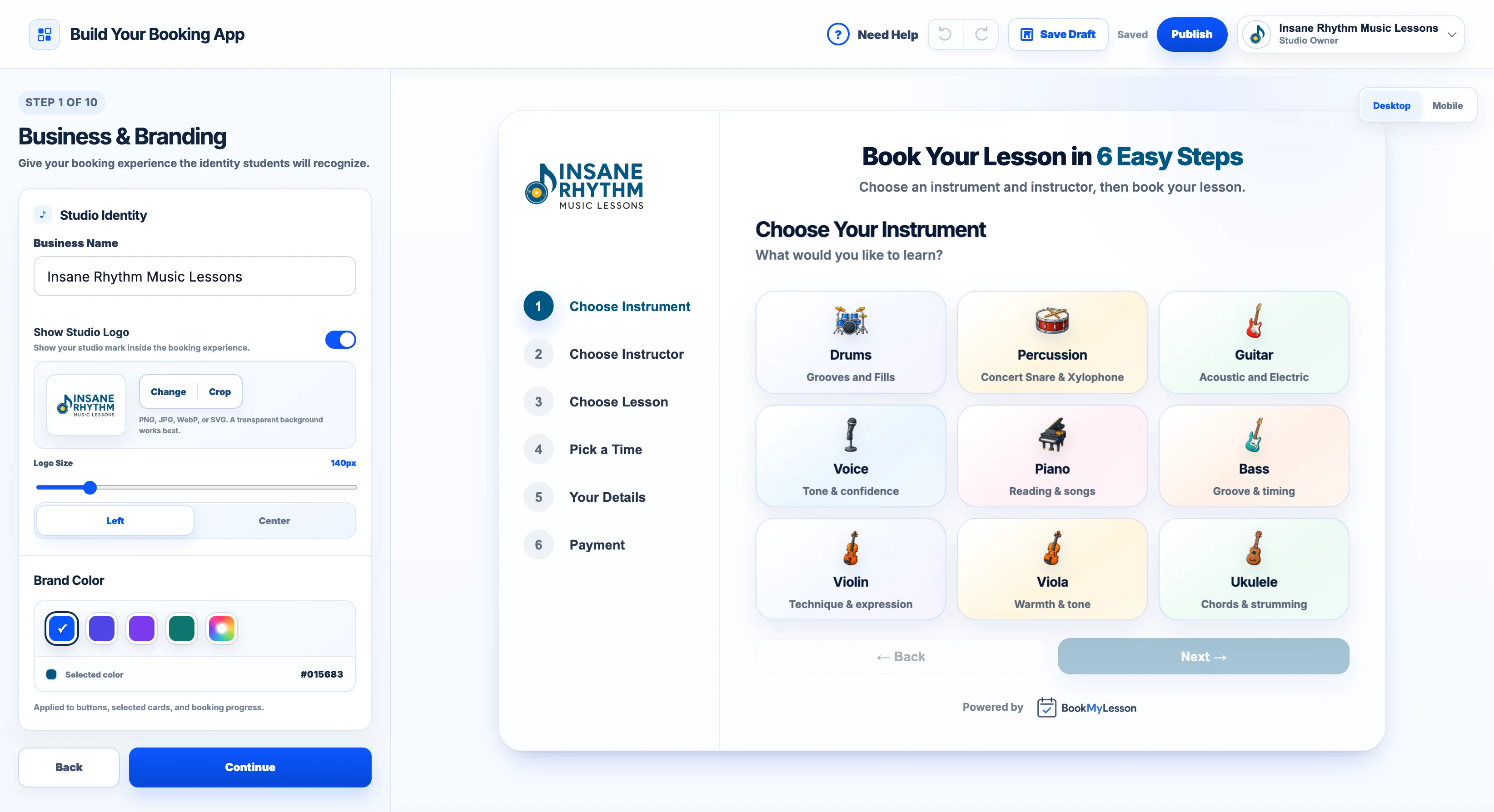
The booking app builder with a live preview
BML Booking App

Build your booking app.

Ten guided steps: your logo and colors, instruments, instructors, lessons and prices, availability, and what you ask families. The preview beside you is your real booking app, so what you see is what families get.

  • No designer, no code
  • Save drafts, publish when it's ready
  • Every change saved in Version History
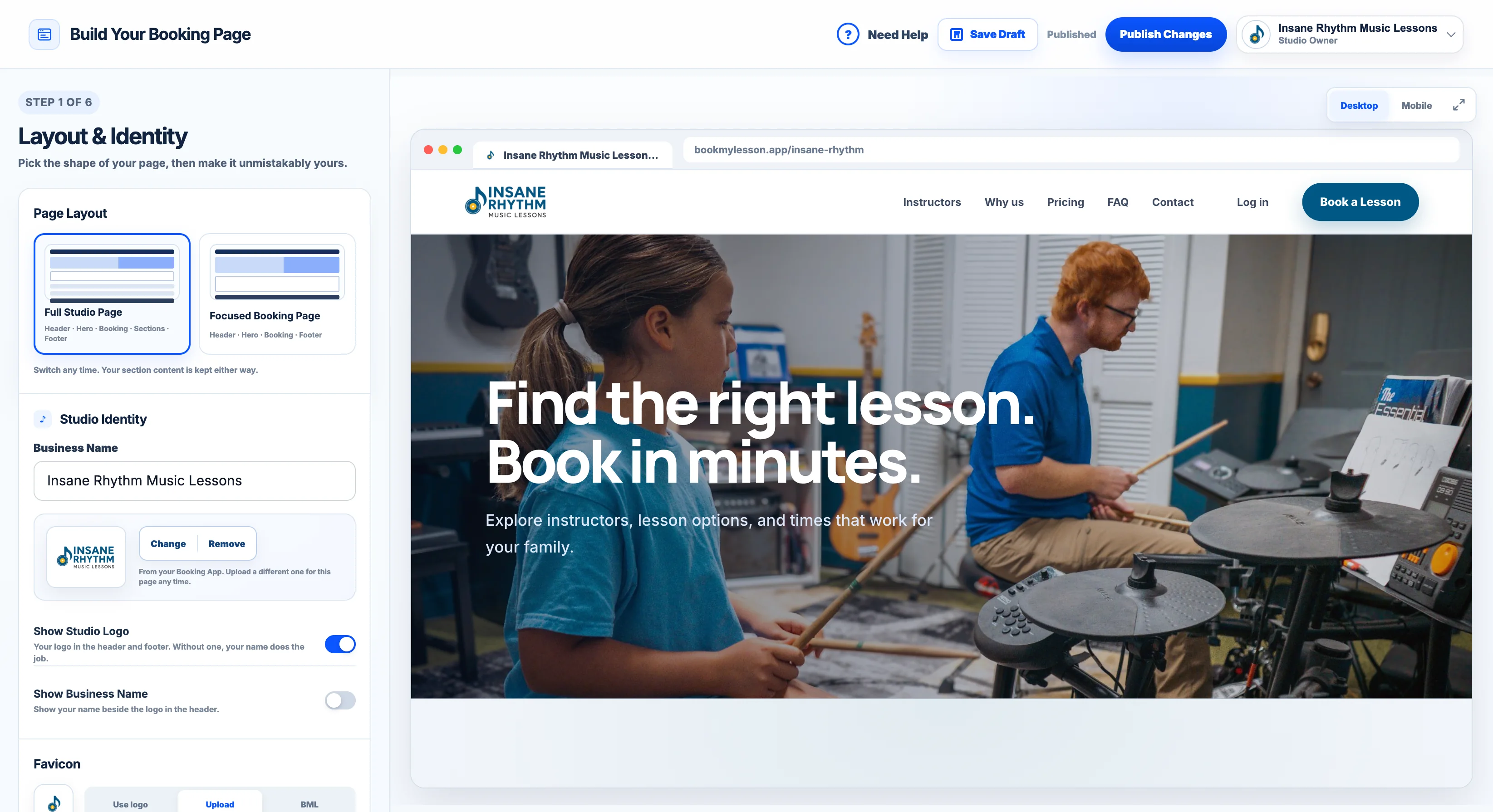
The Booking Page builder with a live preview
BML Booking Page

Put it where families find you.

Paste one line of code on Wix, Squarespace, WordPress, GoDaddy or Webflow. No website? Build a Booking Page in BML with your own photos and share its link on Instagram, Google and your flyers.

  • Embeds in minutes
  • Booking Page on Premium
  • One link for everywhere
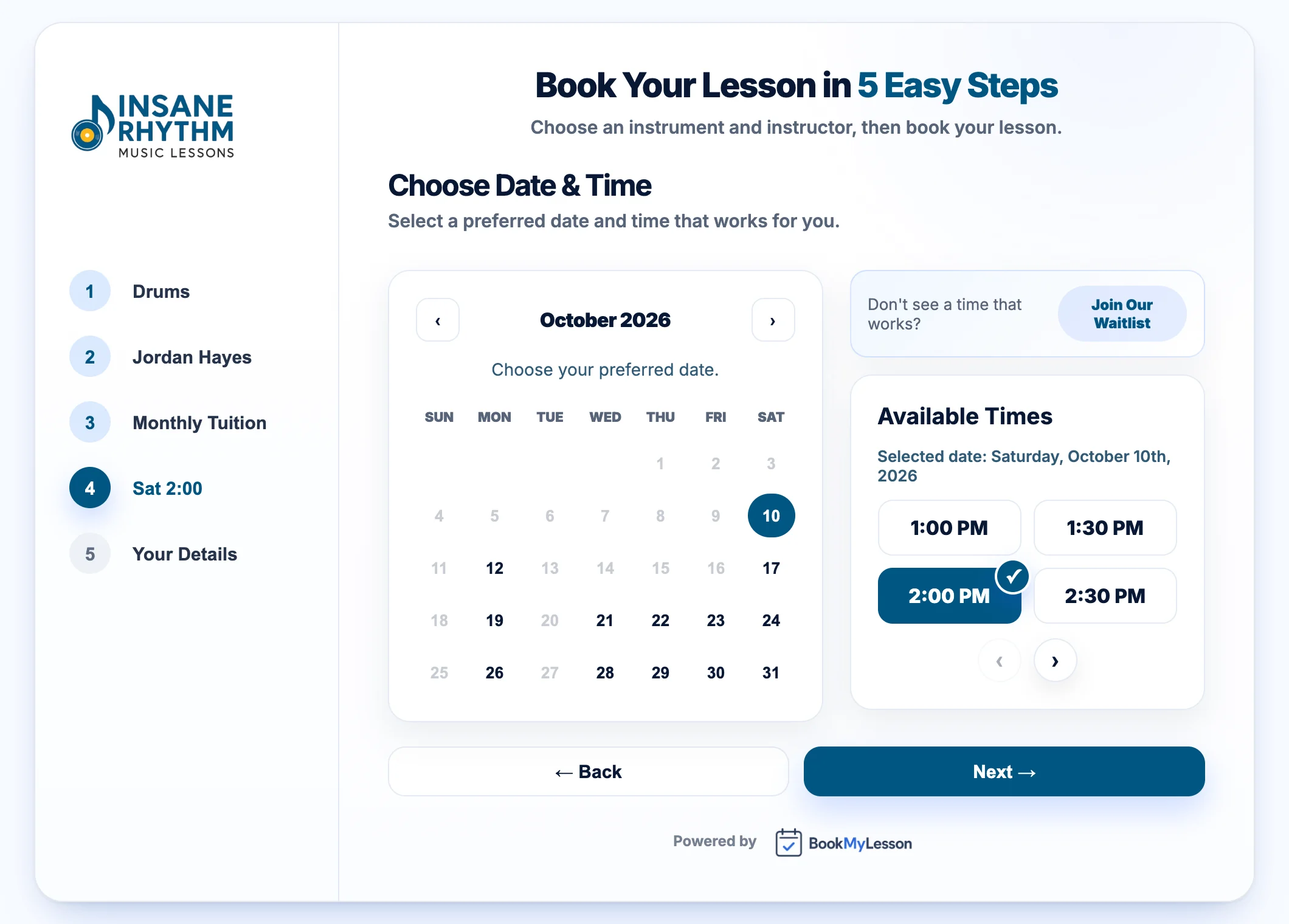
A family picking a lesson time in the booking app

Families book themselves.

They pick an instrument, an instructor, a lesson and a real open time, then check out. Weekly lessons repeat on their own, and a full schedule turns into a Smart Waitlist instead of a lost family.

  • Only real openings show
  • Pay at booking with Stripe, or later
  • Siblings in one checkout
2
Studio management

Run your studio from one place.

The booking lands on your calendar, the student lands in your list, and anything that needs you lands in your inbox.

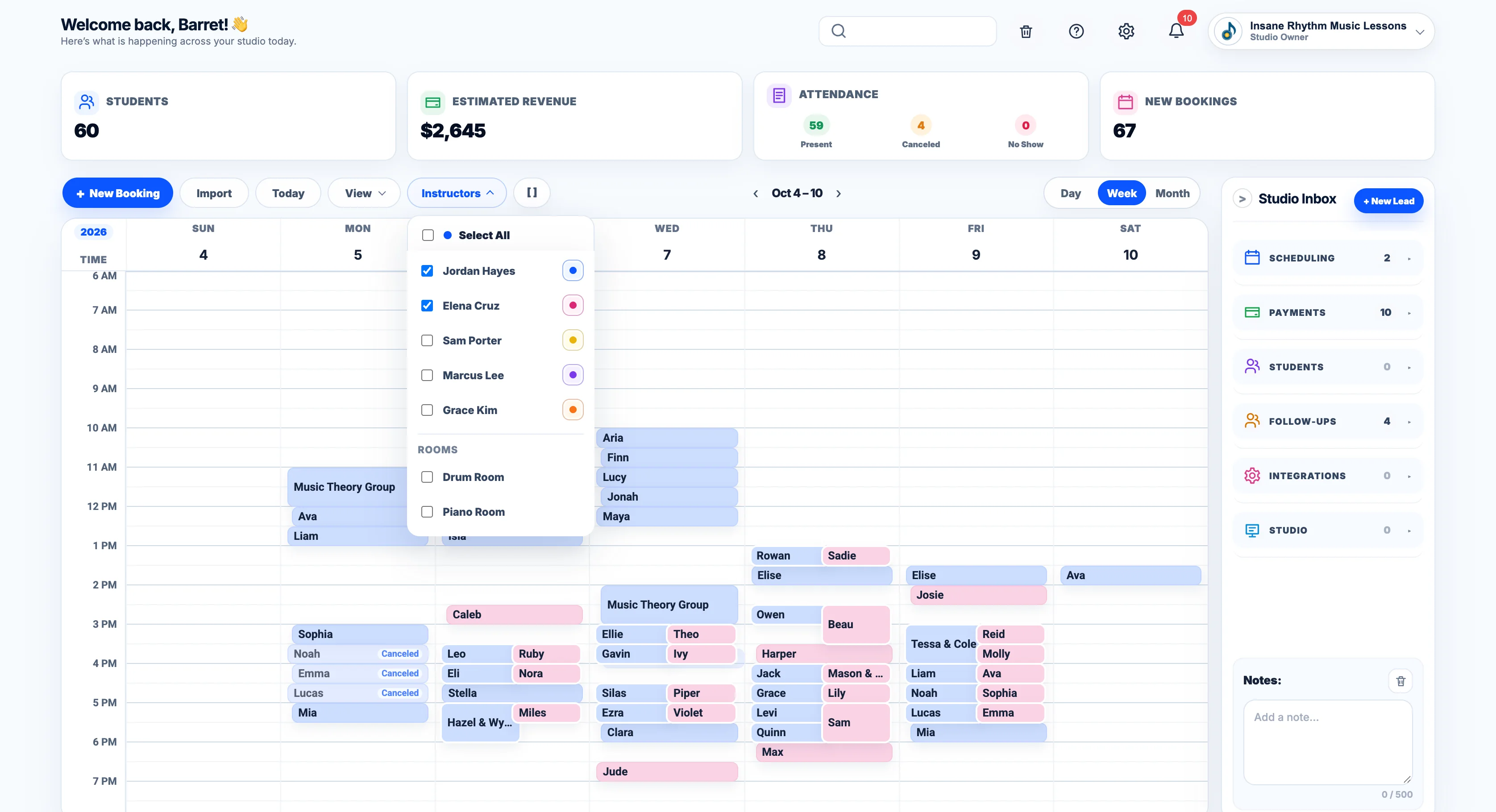
The BookMyLesson calendar
BML Calendar

Every lesson, every instructor, one week.

Drag a lesson to move it. Choose This Lesson or All Recurring. See who's paid right on the card, click any student for their parent, phone and notes, and keep it all in sync with each instructor's Google Calendar.

  • Recurring lessons that keep going
  • Every student's info one click away
  • Two-way Google Calendar sync
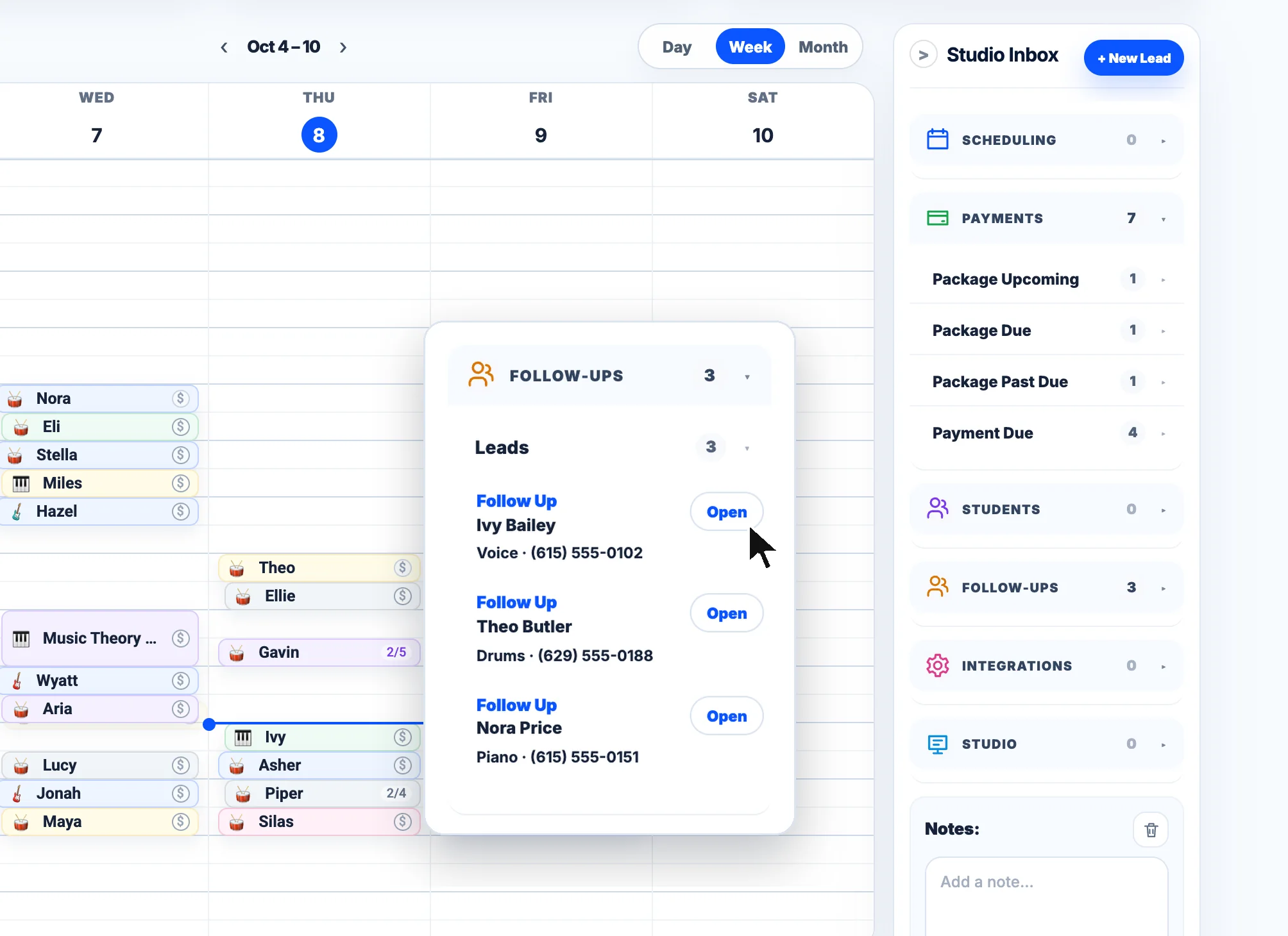
Studio Inbox with payments and follow-ups
BML Studio Inbox

Know what needs you today.

Payments due, new leads, follow-ups and scheduling conflicts collect in one inbox beside the calendar. Open one, handle it, move on.

  • Sorted and counted for you
  • Leads and waitlist follow-ups
  • A weekly note for the front desk
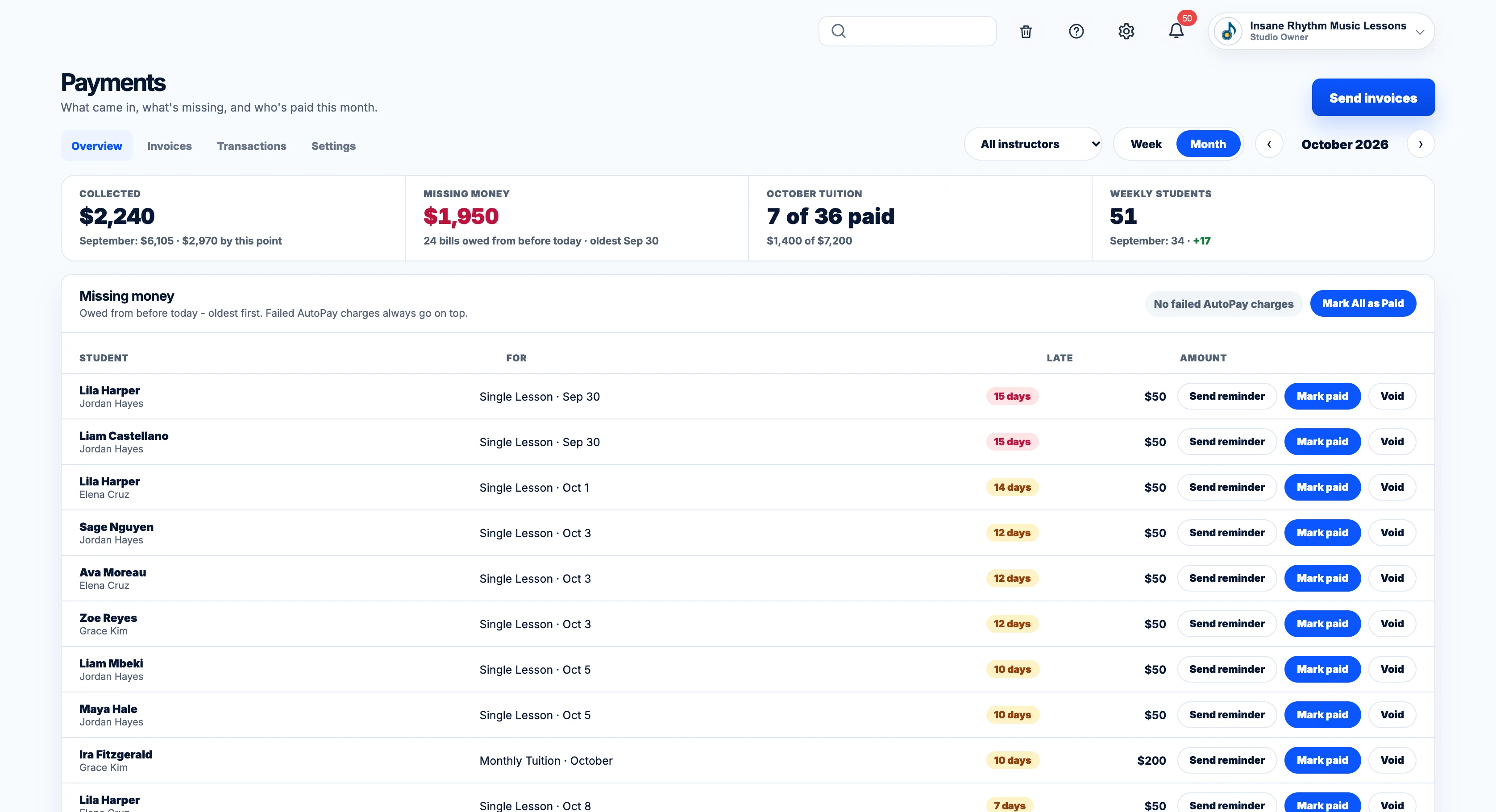
BookMyLesson Payments
Payments

See who paid and who's behind.

Collected this month, missing money oldest first, and one-click Mark paid for cash, check or Venmo. Card payments go straight to your own Stripe account.

  • Monthly Tuition, packages and single lessons
  • Mark All as Paid
  • BML never takes a cut
3
Automation

Put the busywork on autopilot.

The emails, texts, invoices and payments that used to eat your evenings happen on their own, in your studio's name.

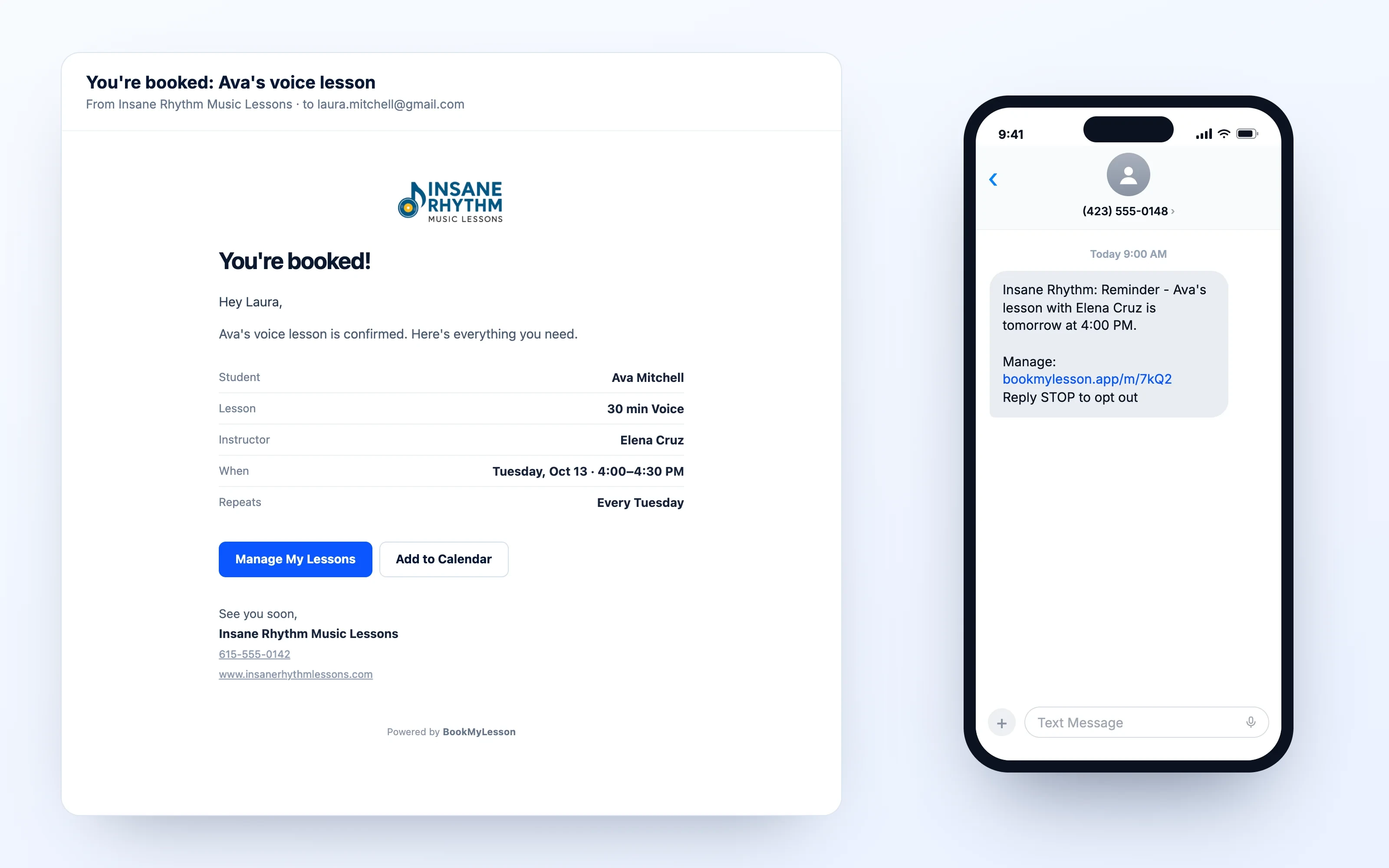
A confirmation email and a reminder text
Emails and texts

Reminders go out without you.

Confirmations, reminders, reschedules and cancellations send automatically with your logo and your sign-off. Add text messages on Premium.

  • Sent 9 AM to 9 PM only
  • Every email has a Manage My Lessons button
  • Reply STOP handled for you
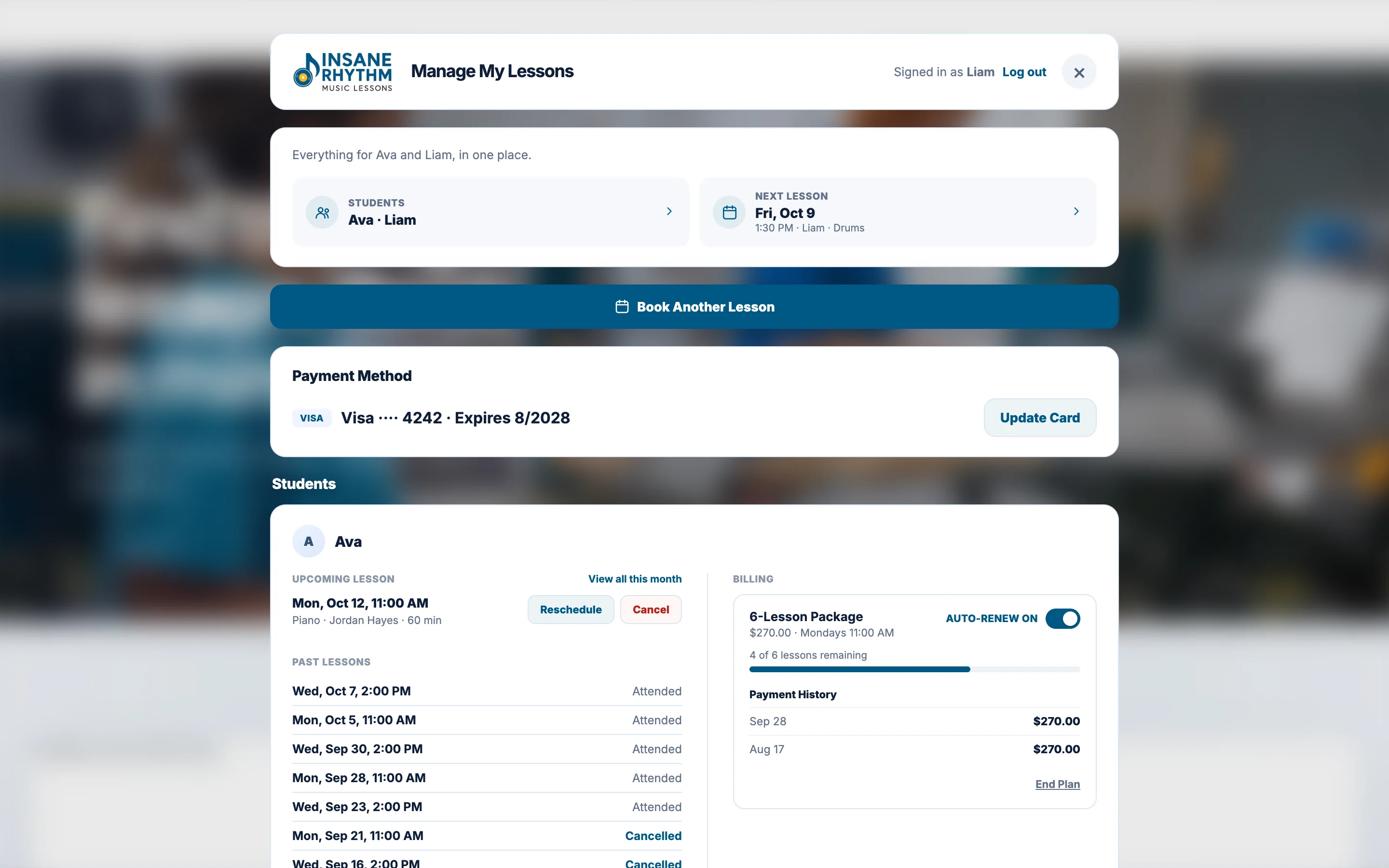
A family's Manage My Lessons page
Manage My Lessons

Invoices, AutoPay and families who help themselves.

Automatic Invoicing bills Monthly Tuition ahead of the 1st and packages when they run out. Families can turn on AutoPay or Auto-Renewal at checkout, and reschedule, cancel or pay from Manage My Lessons, inside your rules.

  • Automatic Invoicing on every plan
  • AutoPay and Auto-Renewal on Premium
  • Past-due reminders you control

Get booked. Stay booked.

Ready for modern music studio software? Try every Premium feature free for 14 days. No credit card required.