Give families a polished, branded way to choose a lesson, find a time, and get booked.
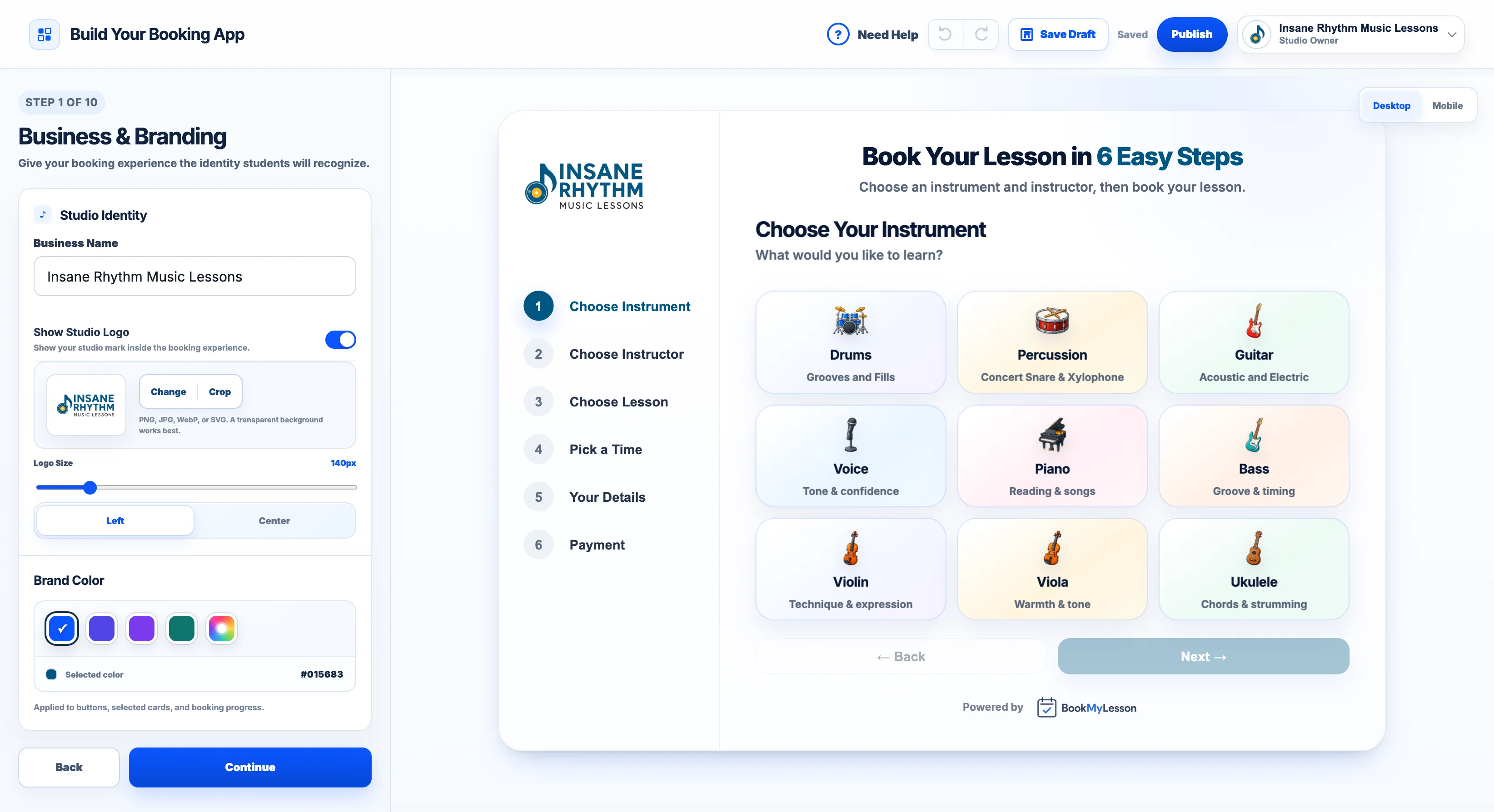
- Step-by-Step Booking App
- Embed on Wix, Squarespace, WordPress & More
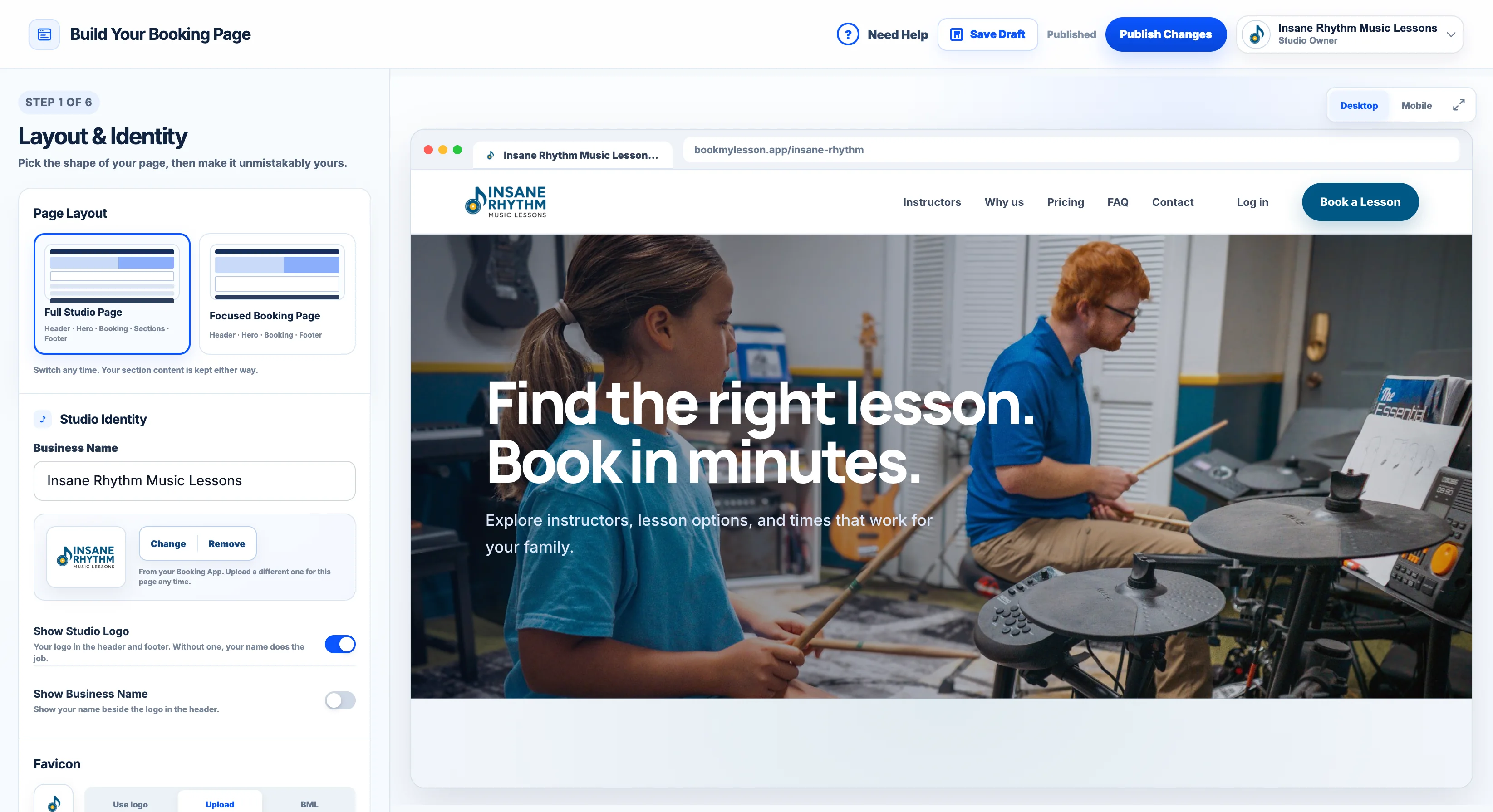
- Your Own Hosted Booking Page
- Custom Logo, Brand Color, Headlines & Photos
- Modern, Minimal & Centered Layouts
- Custom Booking Questions
- Policy Agreement at Checkout
- Discount Codes & Registration Fees
- Book Siblings Together
- Group Lessons With Open Spots
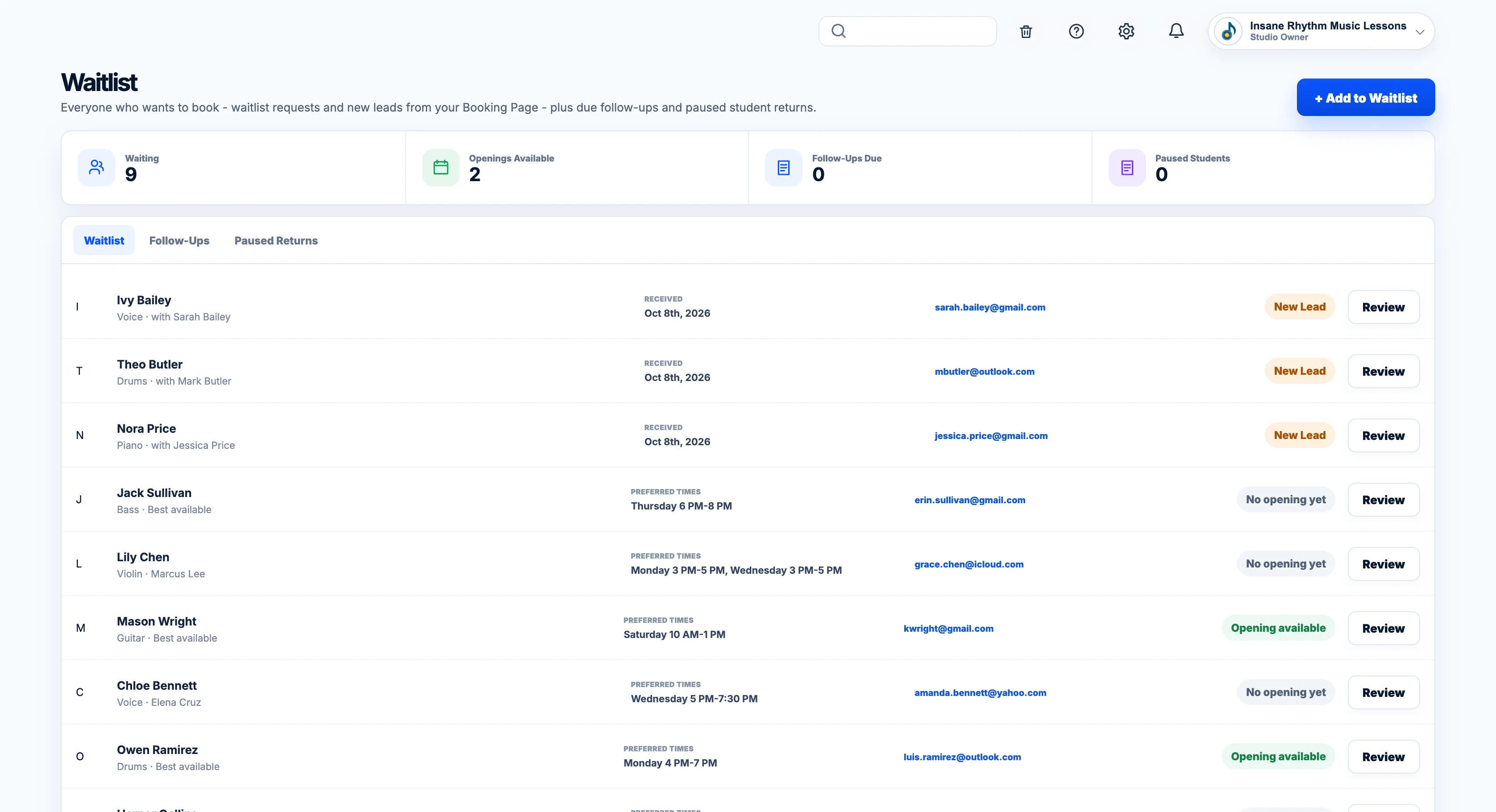
- Join the Waitlist When Schedules Are Full
- Recover Abandoned Checkouts
- FAQ & Contact Sections
- Edit, Preview & Publish
- Instrument & Instructor Card Layouts
Make it easy to go from “I’m interested” to “I’m booked.”
Every lesson carries the student, schedule, package, payment, and history with it.
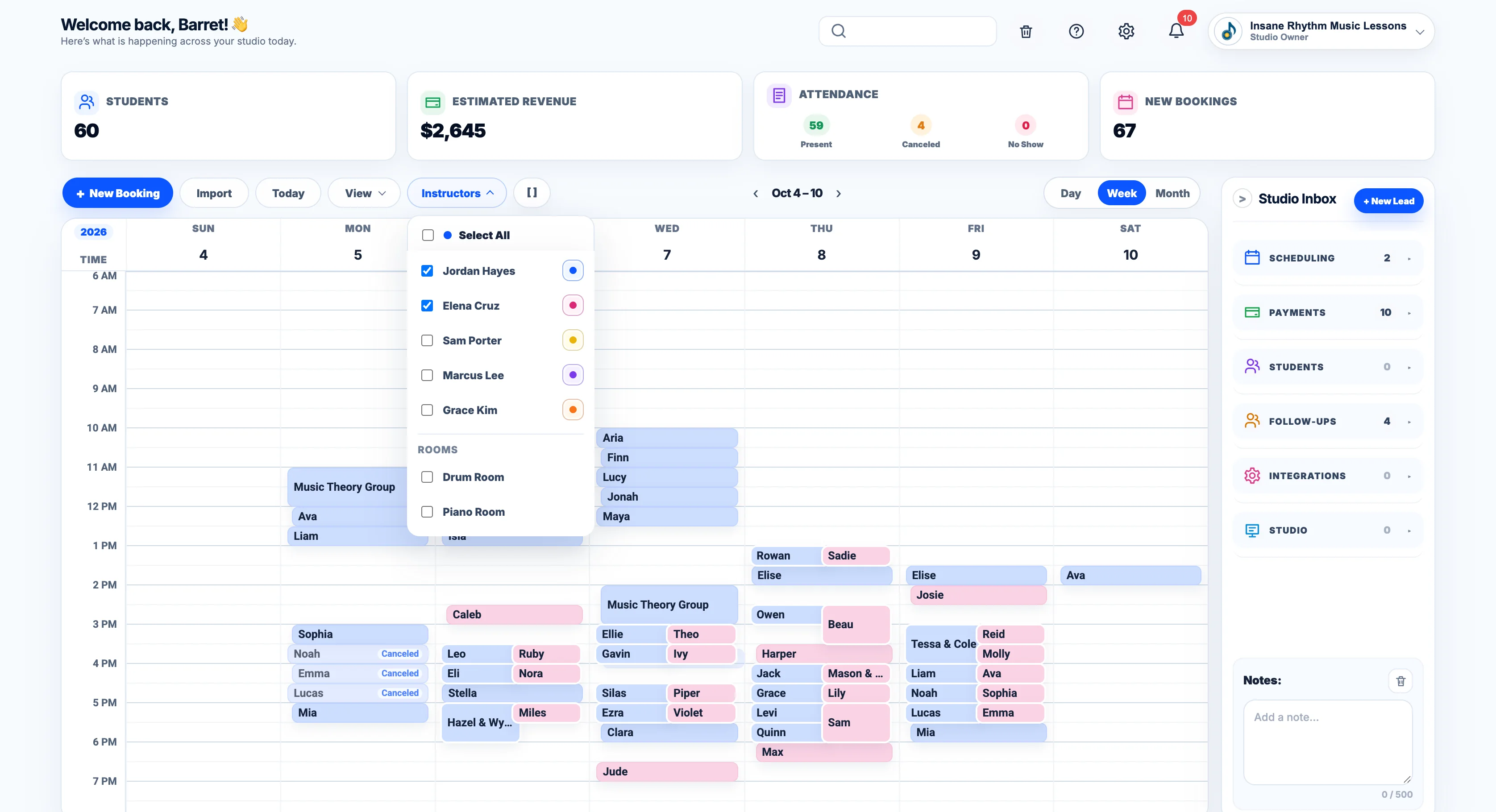
- Every Instructor on One Calendar
- Group Lessons With Their Roster
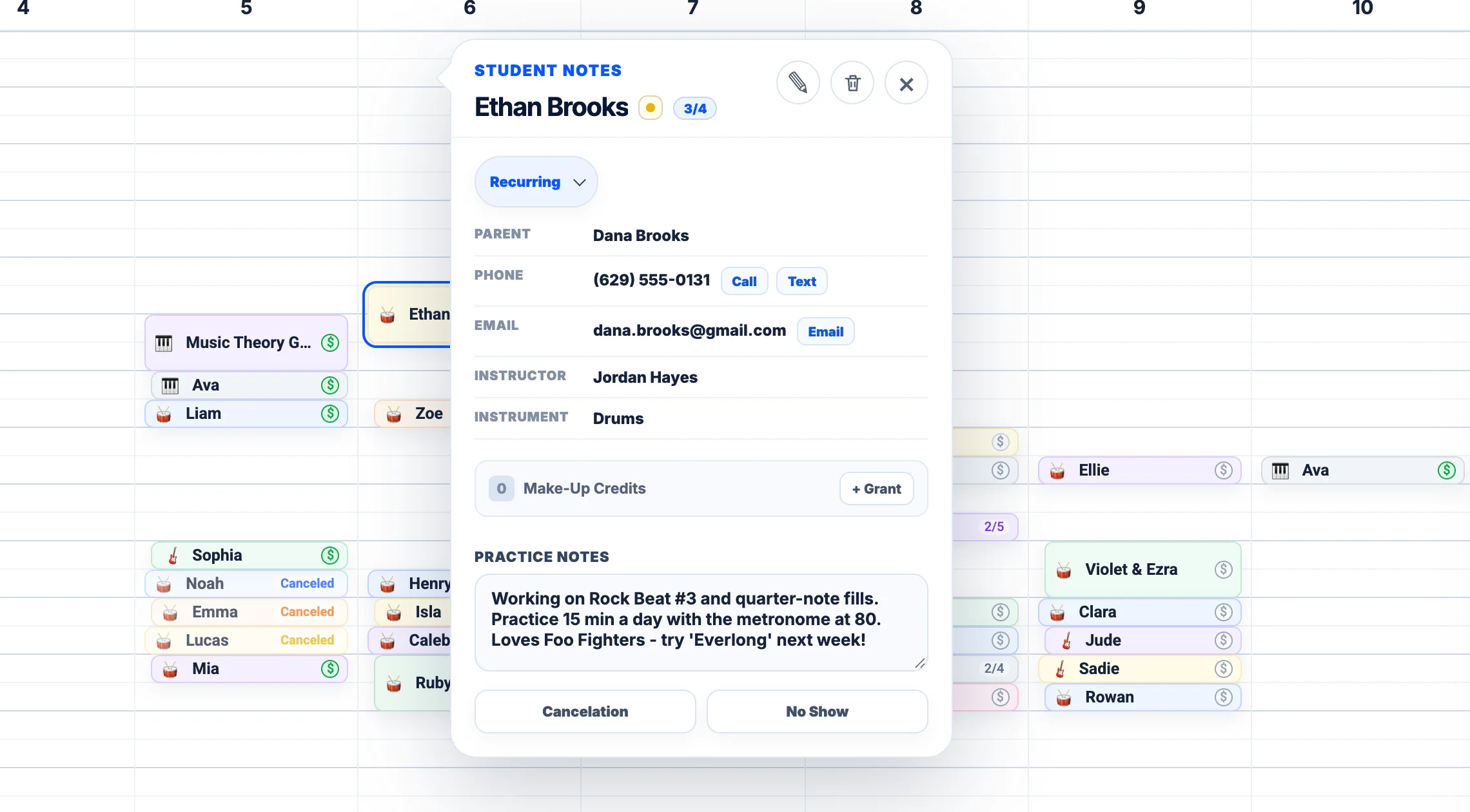
- Student Details Right From the Lesson
- Package Progress at a Glance (2/4)
- Paid or Unpaid Status on the Lesson
- Call or Text the Family From the Calendar
- Practice Notes on Every Lesson
- Create, Pause & Manage Recurring Lessons
- Cancel With the Right Policy Applied Automatically
- Redeem Makeup Credits on the Spot
- Drag to Reschedule
- Resize Lessons to Change Duration
- Change One Lesson or the Entire Series
- Overlapping Lessons Split Automatically
- Double-Bookings Flagged Immediately
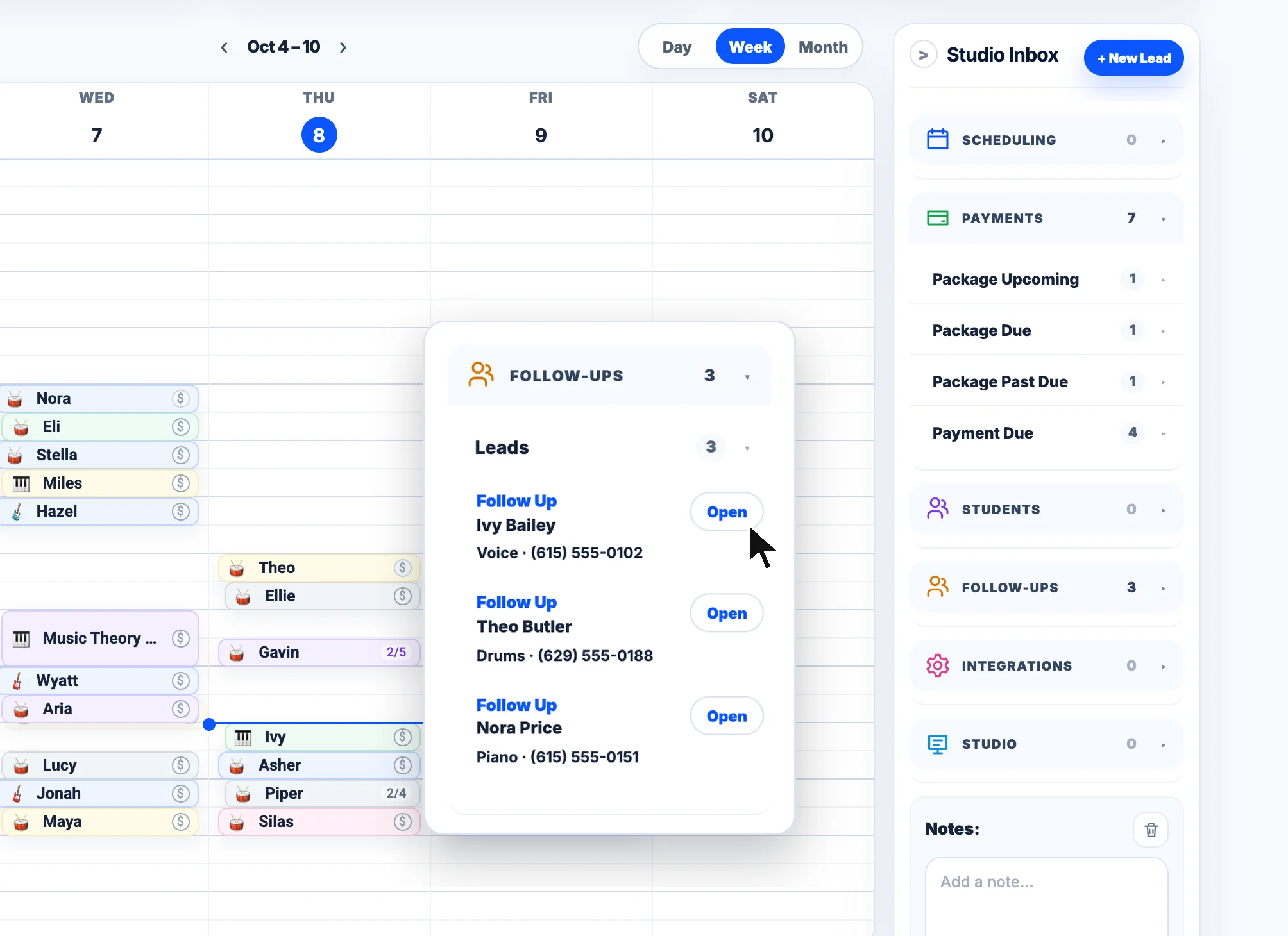
- Studio Inbox Beside Your Schedule
- Press and Hold to Book on Mobile
- Undo, Trash & Restore
- Two-Way Google Calendar Sync
- Substitutes, Rooms & Studio Closures
- Custom Instructor & Lesson Colors
- Shared Room Schedules for Instructors
You shouldn’t have to leave the calendar to run the studio.
Cards, AutoPay, Venmo, Cash App, cash. Families always see what they owe and how to pay you.
- BML Takes No Percentage of Lesson Payments
- Card Payments at Booking
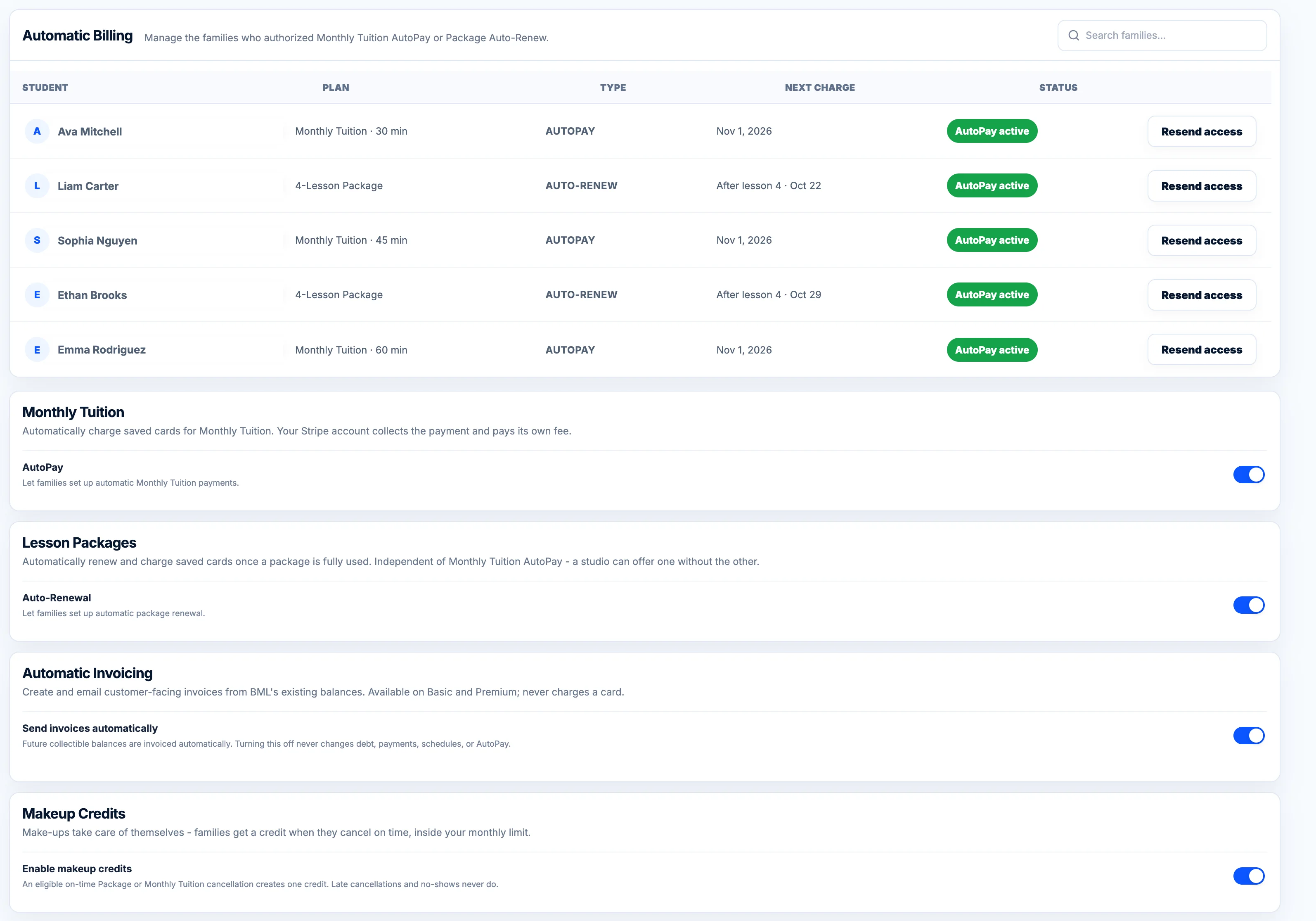
- AutoPay for Monthly Tuition
- Automatic Package Renewals
- Weekly or Monthly Invoicing
- Pay Now, or Your Venmo, Cash App & Cash Details
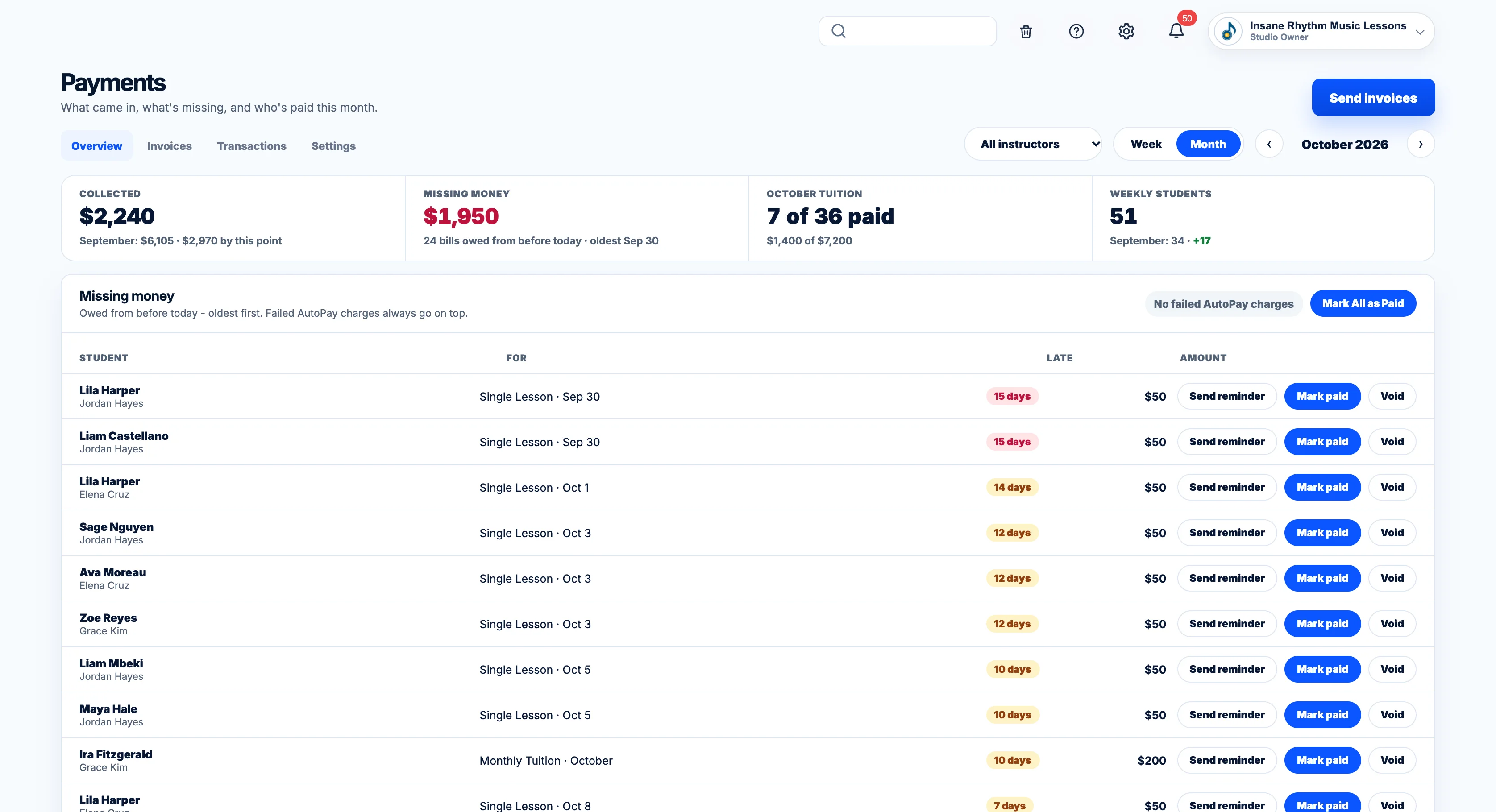
- Past-Due Reminders
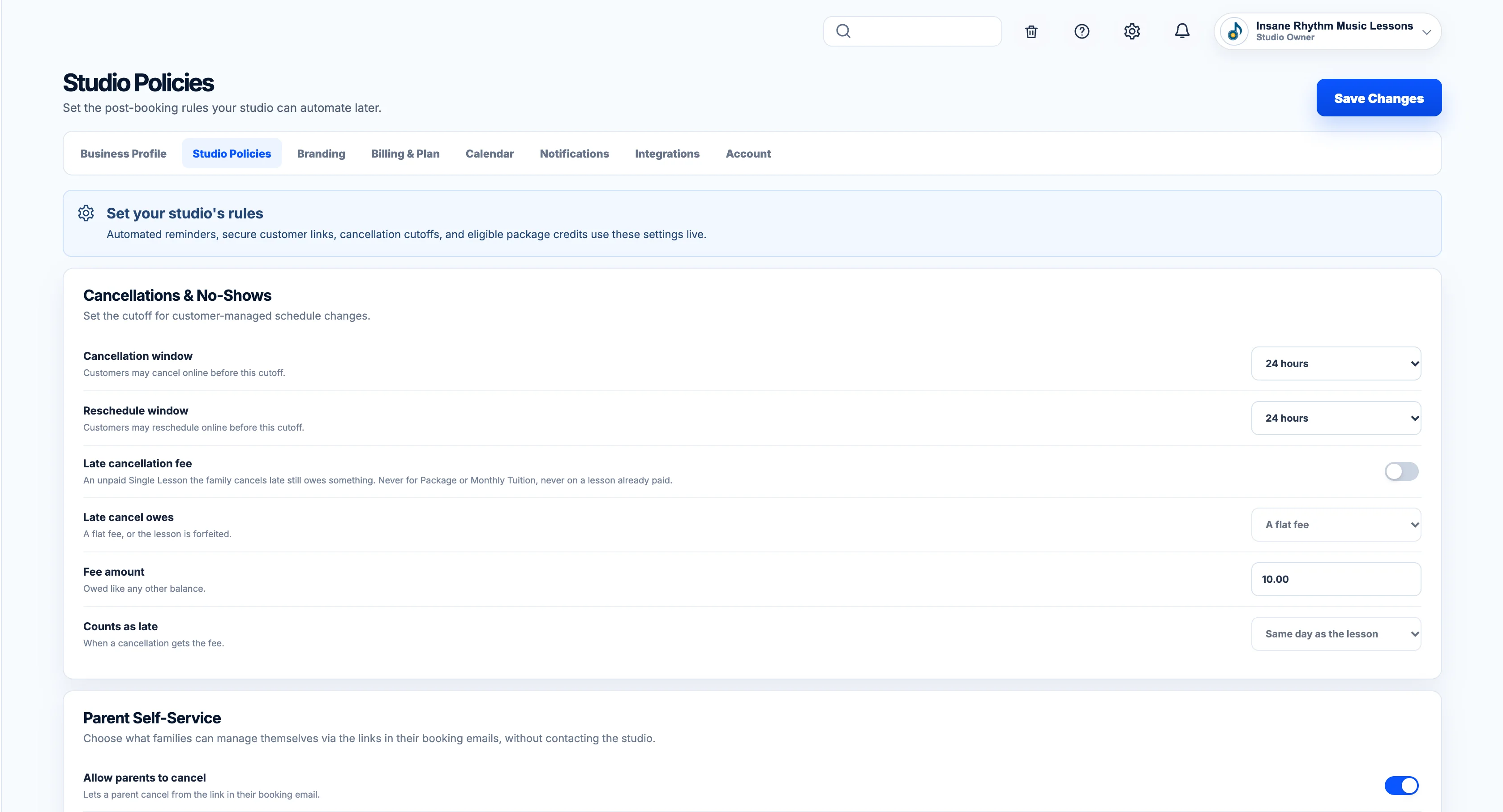
- Optional Late Fees
- See Every Outstanding Balance
- Record Cash, Check, Venmo or Zelle Payments
- Full & Partial Refunds
- Studio Credit
- Late-Cancellation Fees
- Automatic Payment Receipts
- Collected, Outstanding & Upcoming Revenue
- Expenses & What You Keep Each Month
- Fixed Expenses Entered Once
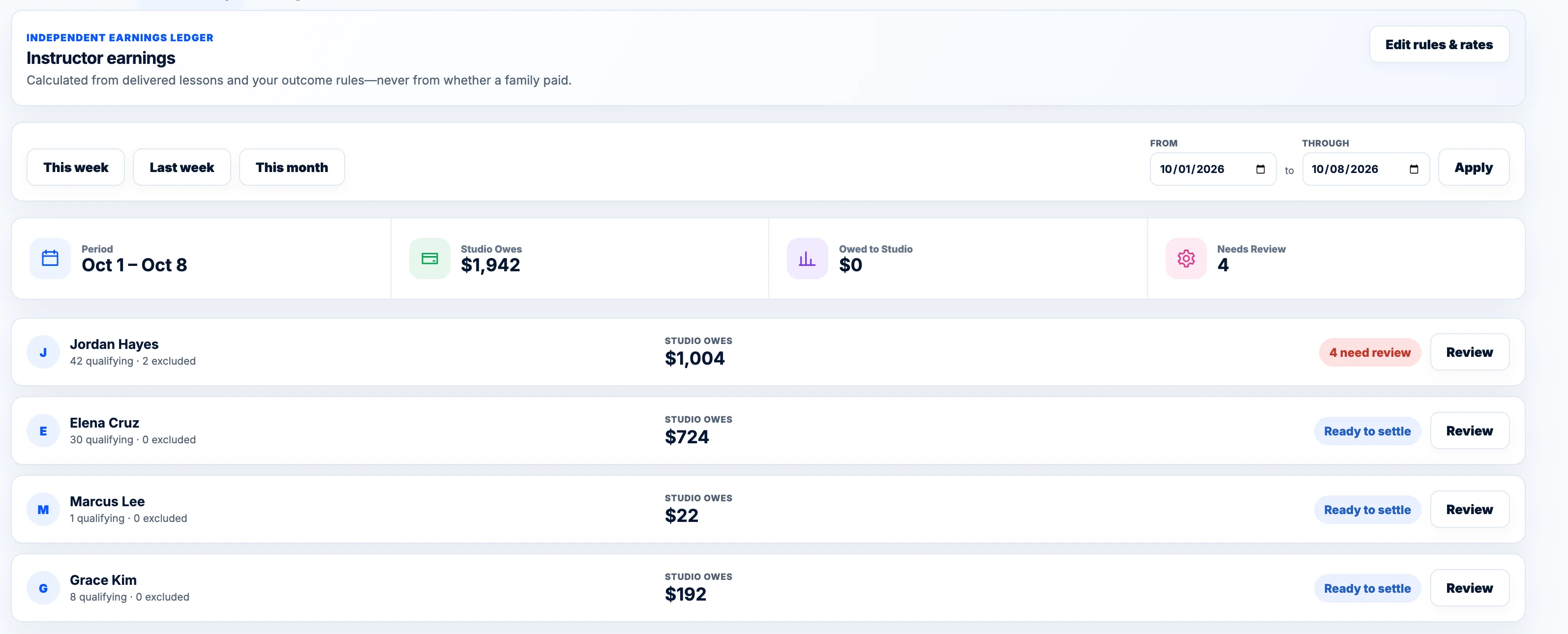
- Instructor Pay Counted Automatically
- Bring Balances & Credits Over When You Switch
Know what’s been paid, what’s still owed, and what’s coming next.
Keep the people, relationships, balances, notes, and lesson history behind your calendar organized in one place.
- Complete Student Profiles
- Parents & Siblings Grouped Together
- Phone & Email
- Instructor & Instrument
- New, Recurring, Paused & Inactive Statuses
- Paused Student Return Dates
- Package Lessons Remaining
- Makeup Credits & Expiration Dates
- Student Notes
- Lifetime Value
- Student Since Date
- Powerful Search & Filters
- Merge Duplicate Students
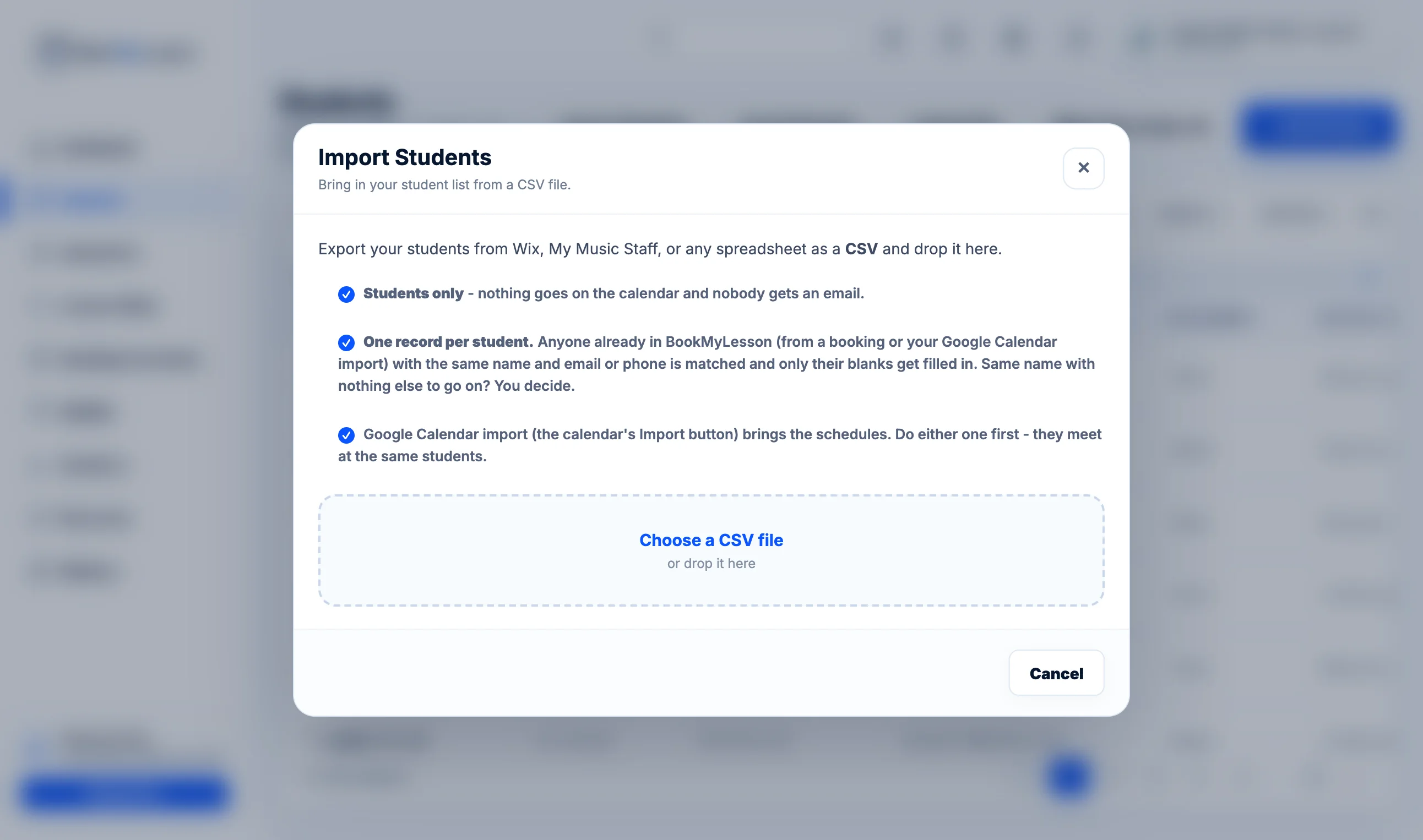
- Import Students From a Spreadsheet
- CSV Export
Your calendar tells you when they come. Your student CRM tells you who they are.
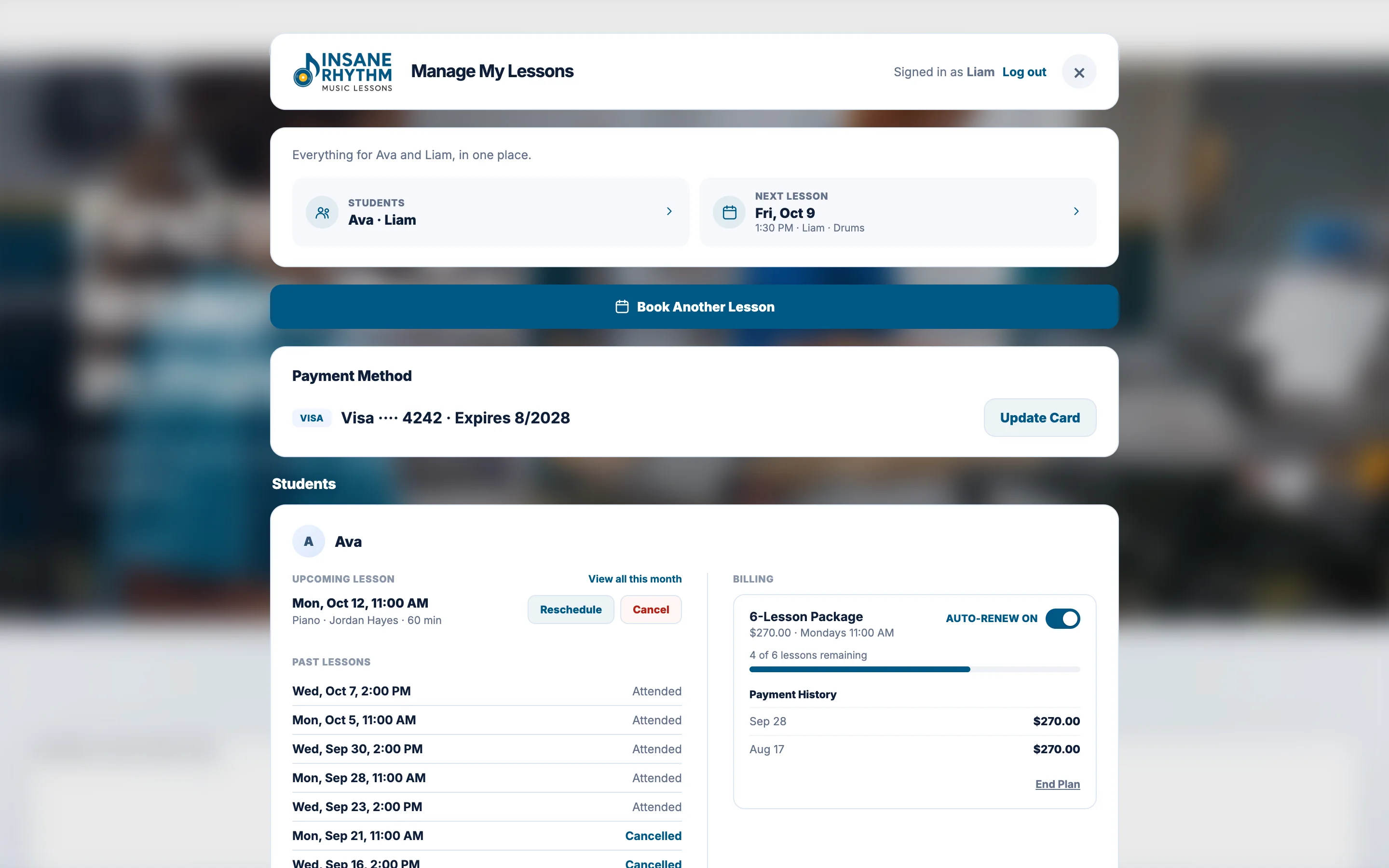
Give parents a secure place to manage lessons themselves instead of texting you every time something changes.
- Manage My Lessons Portal
- Secure Email Sign-In
- See Upcoming & Past Lessons
- Reschedule Lessons
- Cancel Lessons
- Change Their Recurring Lesson Time
- Your Cancellation Window Enforced Automatically
- View Makeup Credits
- Pay Outstanding Invoices
- Turn On AutoPay
- Update Their Card
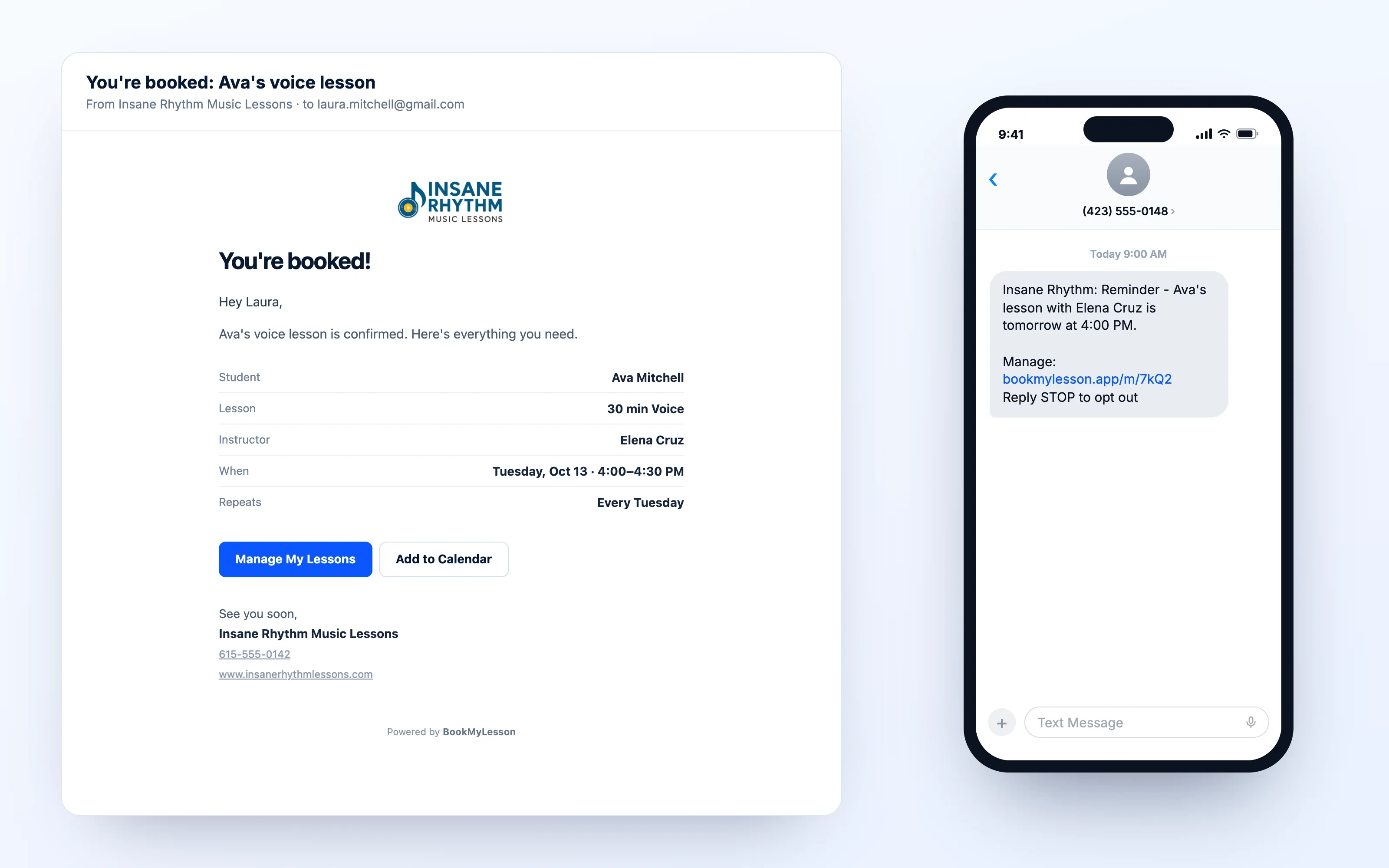
- Email Confirmations & Reminders
- Text Reminders
- Add Lessons to Their Calendar
- Book Another Lesson
- Practice Notes From Their Teacher
- Payment Due & Past Due Texts
Fewer scheduling texts for you. More control for families.
Give every instructor the schedule, students, availability, and access they need—without giving up control of the studio.
- Instructor Profiles, Photos & Bios
- Instruments Taught
- Individual Availability
- Instructor Logins
- Front Desk Access
- Instructors See Their Own Students
- Room Management
- Google Calendar for Each Instructor
- Substitute Instructors
- Transfer Students Between Instructors
- Instructor Pay Tracking
- Pay Rates by Lesson Length
- Best-Available Instructor Routing
- Solo Teacher Mode
- Email, Call or Text an Instructor From Their Card
- Choose What Instructors Can See & Do
- Instructors Can Mark Lessons Paid (When You Allow)
Add instructors without turning scheduling into another job.
Build the lesson options, pricing, rules, and availability that fit your studio.
- Single Lessons
- Lesson Packages
- Monthly Tuition
- Group Lessons
- Free & Paid Trials
- Your Own Pricing
- 30, 45 & 60-Minute Lessons
- In-Studio & Online Lessons
- Minimum & Maximum Ages
- Choose Eligible Instruments
- Choose Eligible Instructors
- Offer Photos & Descriptions
- Turn Offers On or Off Anytime
You decide what you sell, who can teach it, and how families book it.
BookMyLesson surfaces the students, openings, payments, and follow-ups that could otherwise get forgotten.
- Studio Inbox
- New Booking Alerts
- Scheduling Conflict Alerts
- Payment Due
- Packages Running Low
- Booking Page Leads
- Waitlist by Day & Time
- Match Openings to Waiting Students
- Book Directly Into an Opening
- Follow Up by Email, Text or Phone
- Follow-Up Dates
- Automatic Follow-Up Emails
- Paused Student Return Reminders
- Studio Notification Center
- Notification Bell for Instructors & Front Desk
Fill openings, follow up faster, and keep students from slipping through the cracks.
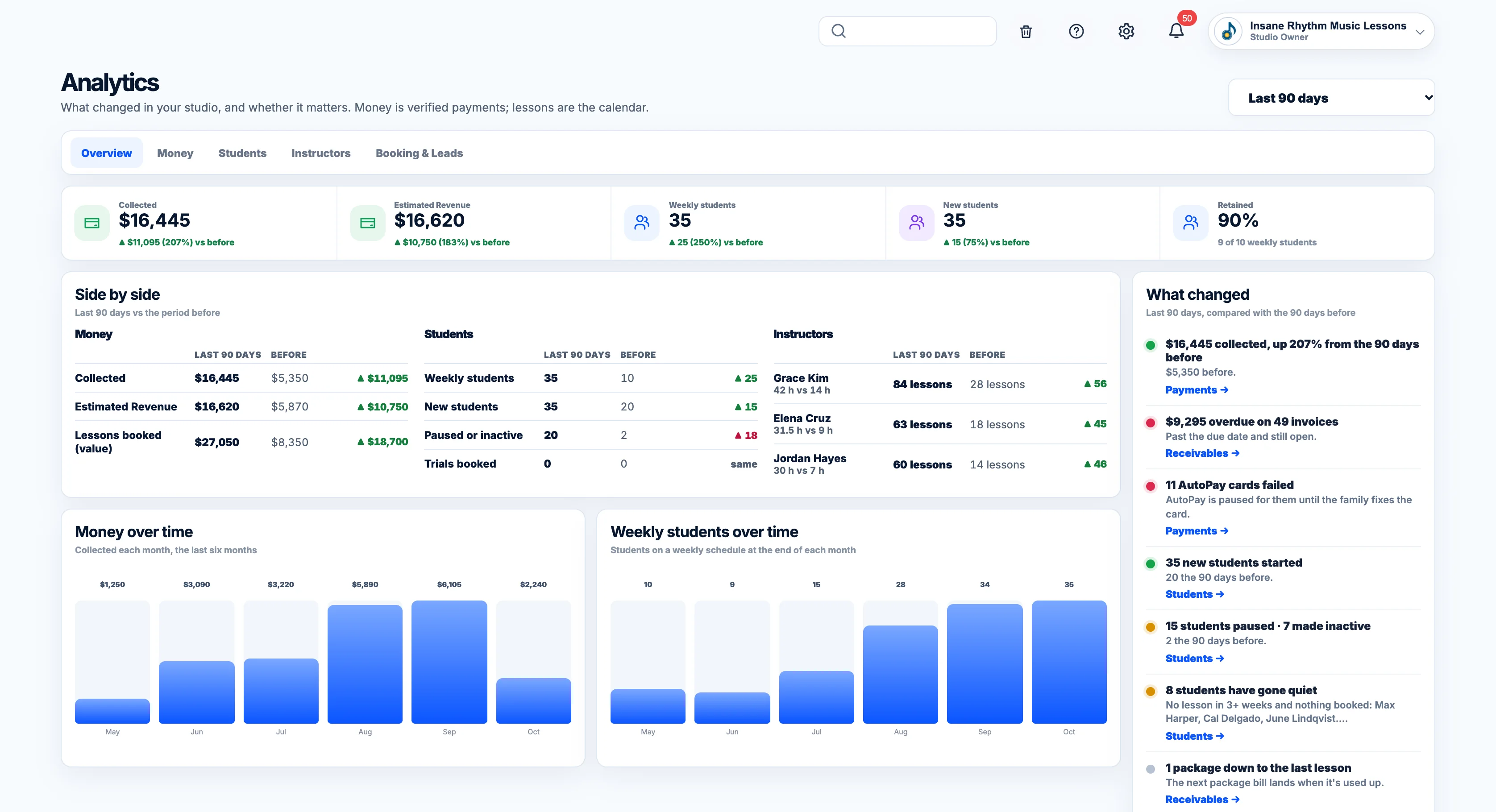
Understand the money, bookings, students, and trends behind your schedule.
- Money Collected
- Estimated Revenue
- Revenue by Offer
- Outstanding Balances
- Compare With the Previous Period
- Money & Students Over Time
- Student Retention
- New, Paused & Inactive Students
- Retention by Instructor
- Attendance, Cancellations & No-Shows
- Performance by Instructor
- Booking Sources & Leads
- Trial-to-Student Conversion
- Monthly Studio Report Email
- Expenses & Kept in Your Monthly Report
See what’s booking, what’s growing, and where your studio earns.
BookMyLesson connects the booking, student, calendar, payment, and communication instead of making you maintain five different systems.
- Two-Way Google Calendar Sync
- Import Your Existing Google Calendar
- Google Busy Times Block New Bookings
- Your Own Stripe Account
- Texts From Your Own Number
- Your Own Email Style & Text Wording
- Recent Email & Text Activity
- Bookings Automatically Create Student Records
- Bookings Automatically Reach the Calendar
- Payments Stay Connected to the Lesson
- Owner, Instructor & Front Desk Permissions
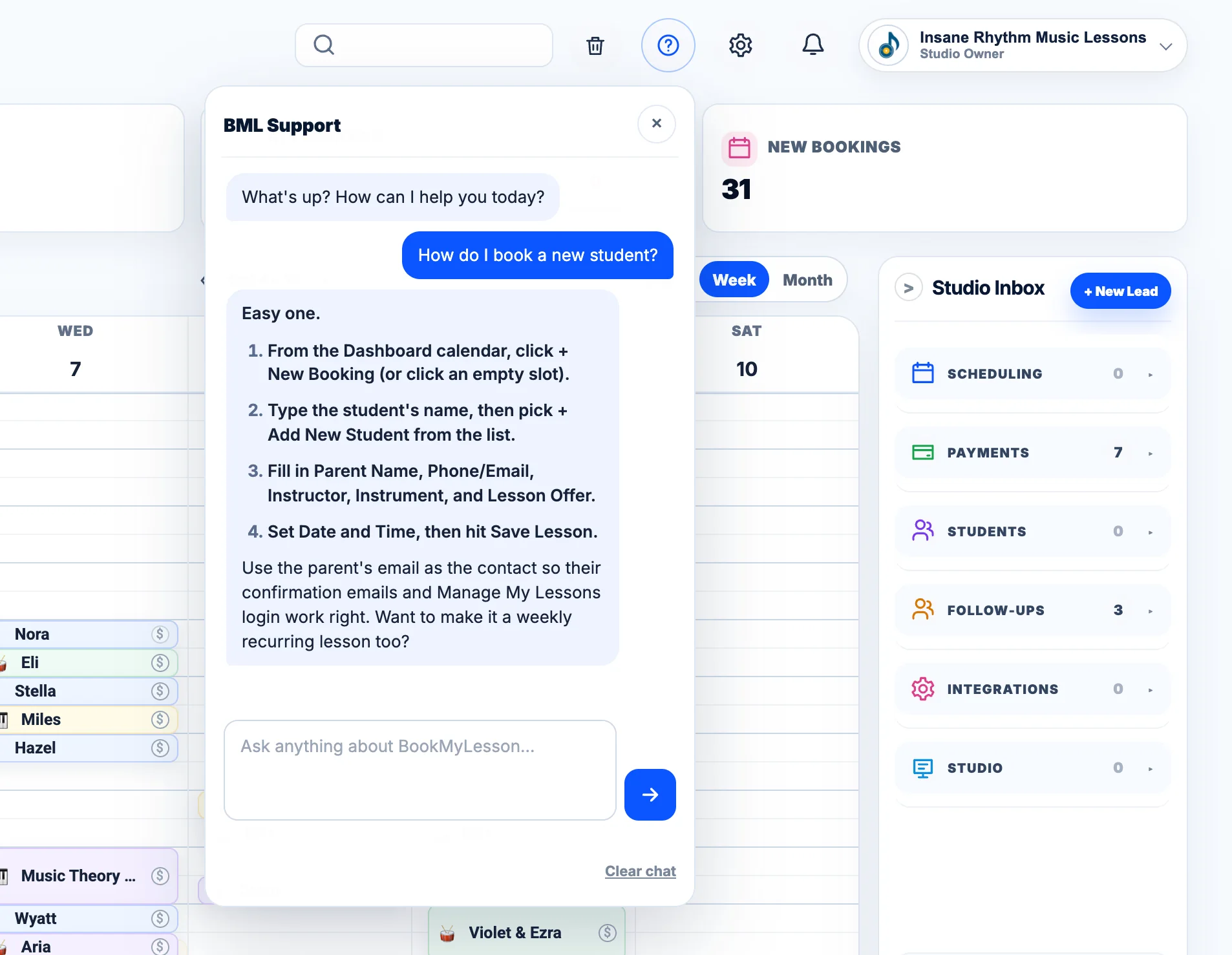
- Built-In Help Chat
- Trash & Restore
- Booking Experience Version History
From the first booking to the final payment, your studio stays connected.